2 Expressions That Replace Keyframes
Learn how Linear and loopOut expressions connect shapes and repeat motion in After Effects no extra keyframes needed.

Intro 2 Expressions That Replace Keyframes
Keyframes get you a long way, but they don't talk to each other.
Move one shape and every other layer just sits there, waiting for you to key it too.
Expressions fix that. Instead of animating every layer by hand, you write one line of code that links a property to another, or tells it to repeat forever.
In this post we're breaking down two expressions that do exactly that: Linear, which makes one layer's movement drive another layer's property, and loopOut, which repeats a keyframed animation automatically without extending your timeline manually.
Here's how each one works, and how to set it up in your own project.
1-Linear
What is it :
Linear is a built-in After Effects expression that maps one property's value range to another.
It takes an input value (say, a layer's X position) and converts it into a different output value (say, another layer's scale), following a straight, one-to-one relationship.
No easing, no curves, just a direct link between two numbers.
What it does :
Once applied, Linear lets one layer's animation drive a second layer's property, without keyframing the second layer at all.
-
A shape moving across the screen scales another shape up as it passes
-
A slider's rotation controls a text layer's opacity, so the text fades in as the slider turns
-
A background layer's position shifts a foreground shape's skew, adding parallax-style depth
-
A progress bar's width drives a percentage counter's scale, so both grow together
In every case, you're animating one property by hand and letting Linear calculate the rest.
How to use it :
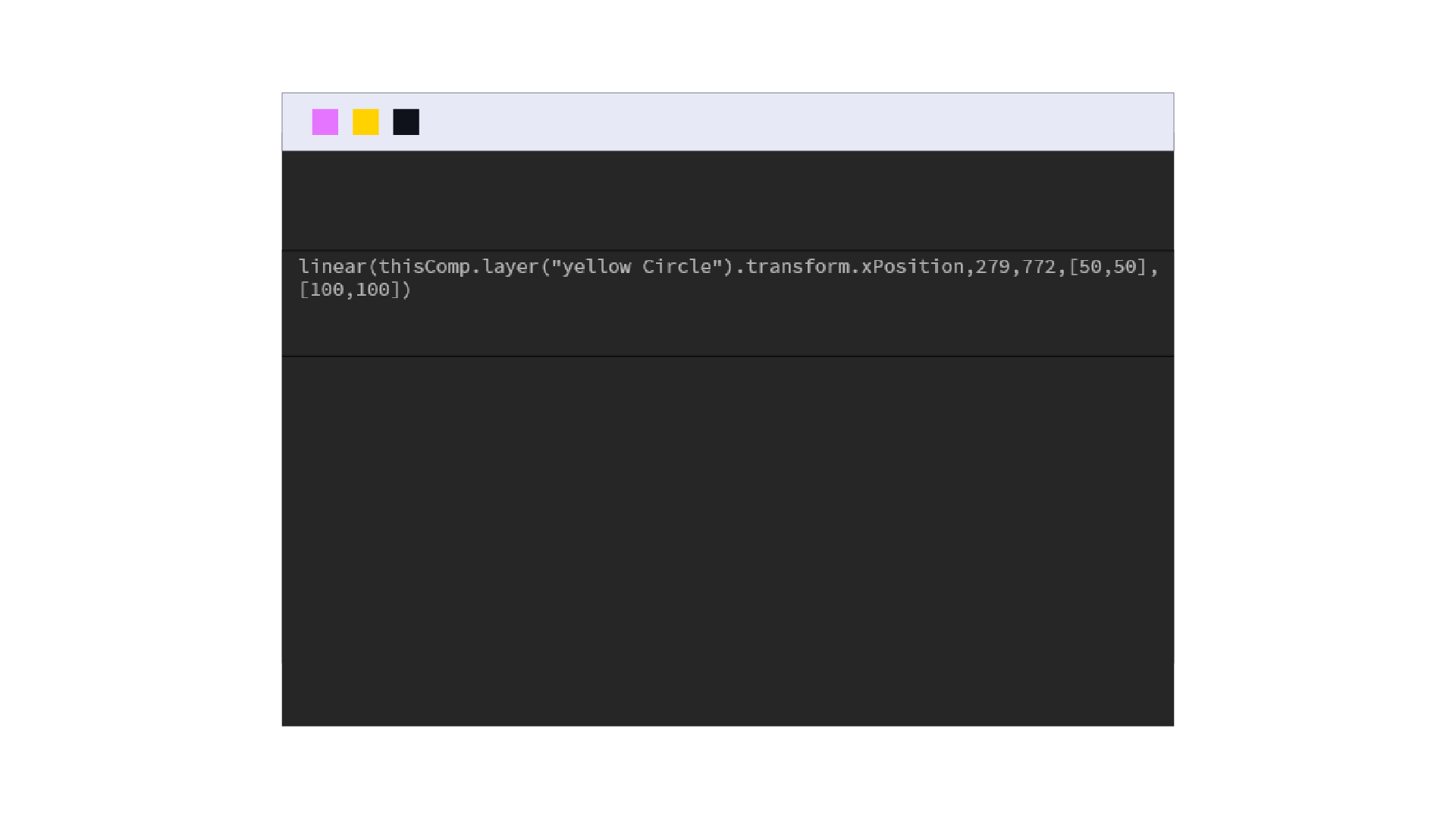
Alt-click the stopwatch on the property you want to control (the output) Pick-whip it to the property you want to control it (the input) Wrap the pick-whipped code in ... linear()
Set four values: the input's minimum and maximum, then the output's minimum and maximum
For example, linking Scale to a Position that moves from X 0 to X 500, with Scale going from 50 to 100:
linear(thisComp.layer("Shape 1").transform.xposition, 0, 500, [50,50], [100,100])
If the input property has more than one dimension, like Position, separate its dimensions first (right-click the property → Separate Dimensions), then pick-whip the single axis you need.
Now instead of keyframing two layers separately and manually matching their timing, you keyframe one and Linear keeps the second perfectly in sync even if you go back and change the first layer's animation later.
2- loopOut
What is it :
loopOut is a built-in After Effects expression that repeats a layer's existing keyframed animation automatically, for as long as the layer runs.
Instead of copying and pasting keyframes to extend a motion, you write one line after the last keyframe and After Effects keeps playing the animation on repeat.
What it does :
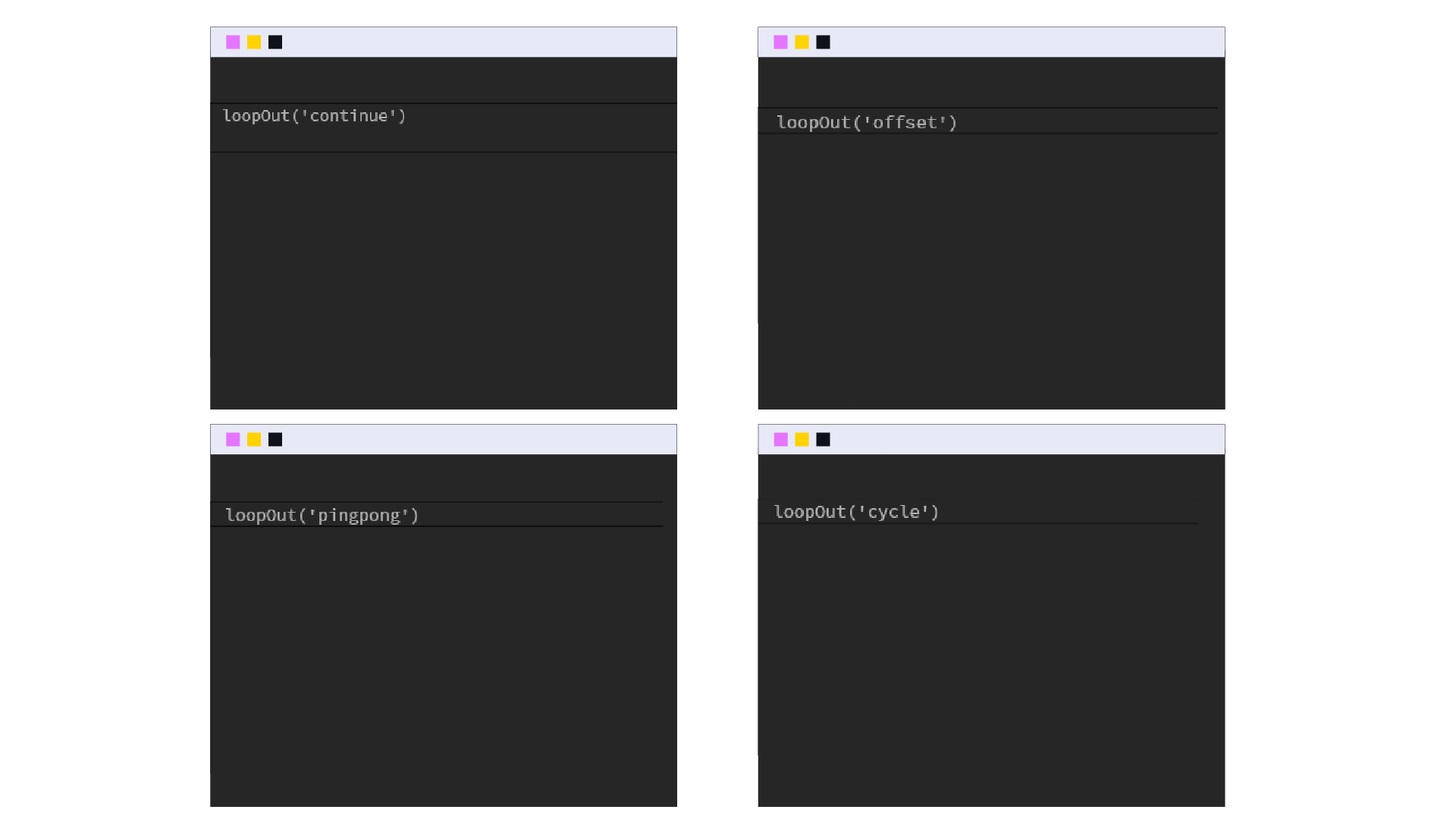
loopOut takes whatever keyframes you've already set and continues that motion past the last one, in one of four ways:
-
Cycle : replays the exact keyframed animation from the start, over and over, useful for a spinning icon or a repeating pulse
-
Pingpong : plays the animation forward then backward then forward again, good for a shape that bounces or sways in place
-
Offset : repeats the animation but builds on the last value each time, ideal for something that should keep climbing or rotating continuously, like a counter or a wheel that never resets
-
Continue : takes the velocity at the last keyframe and keeps the layer moving in that direction, without repeating the animation itself, useful for an object that should drift off screen after its keyframed motion ends
How to use it :
1- Set your keyframes as normal just the in and out points of the motion you want repeated
2- Alt-click the stopwatch on that property
3- Type the expression, choosing the type in the parentheses:
-
loopOut("cycle")
-
loopOut("pingpong")
-
loopOut("offset")
-
loopOut("continue")
For continue, go back to your last keyframe and set its interpolation to Linear, as with easing still applied, the layer won't carry the motion forward correctly
No more duplicating keyframes across the timeline or guessing where a repeat should start.
Set the motion once, add loopOut, and it keeps going for however long the layer lasts, even if you trim or extend it later.
Outro 2 Expressions That Replace Keyframes
That's Linear and loopOut ... two expressions, one skill: letting After Effects do the repetitive work for you.
Linear connects layers so they move together, and loopOut keeps an animation running without touching the timeline again.
Try them on your next project, and once they're second nature, they'll save you real time on every animation after.
If you'd rather skip the setup, Scene Yard has ready-made scenes built with expressions like these already in place, browse our library.