
How To Use
From browsing the library to your final renderHere's how SceneYard fits into your edit
Browse Scenes
Explore the library and filter by style, mood, or category to find what fits your edit.
Pick The Right One
Preview the scene, check it matches your video's vibe, and grab the one that clicks.
Download The Scene
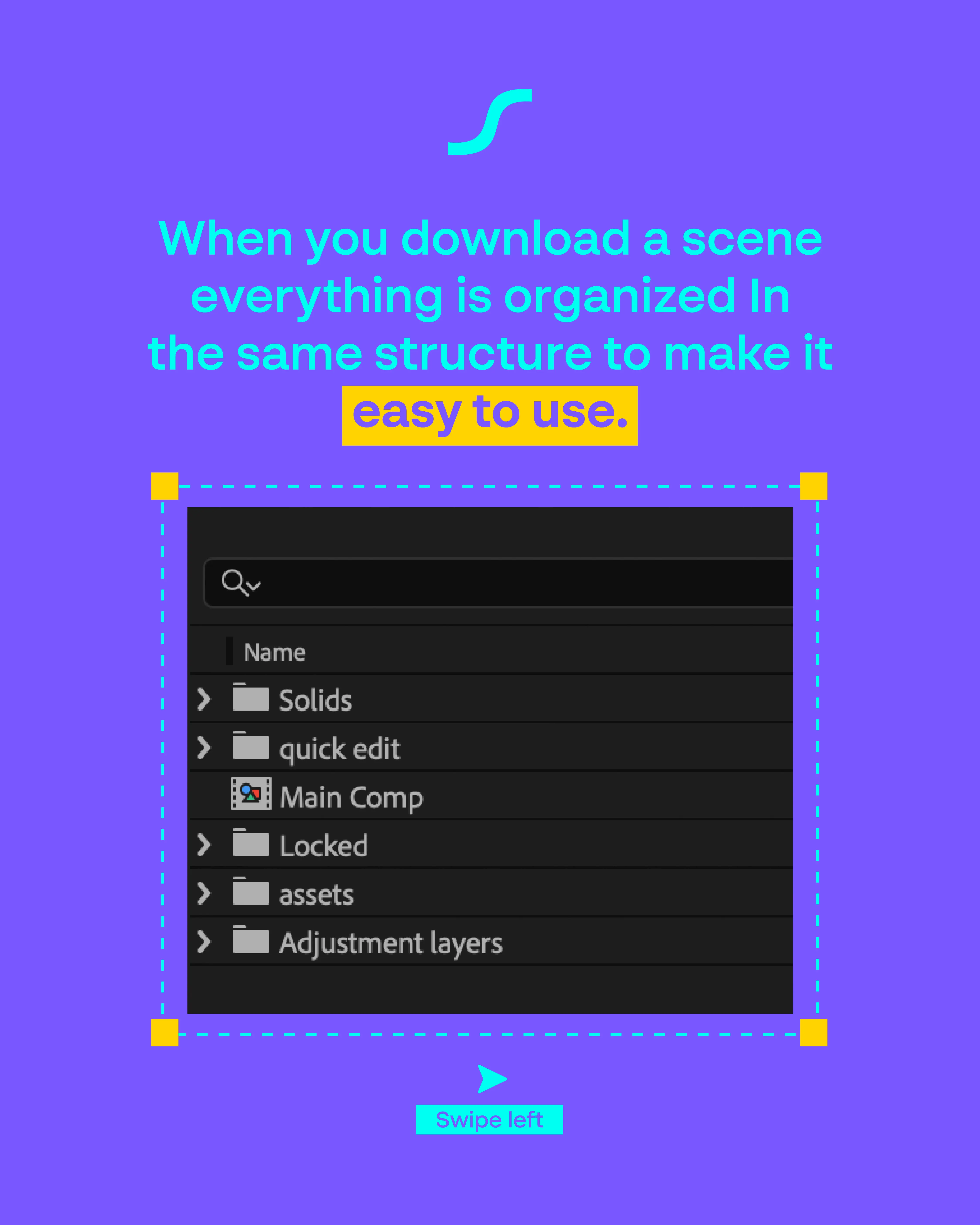
One click, you get a clean After Effects project file — fully organized and ready to open.
Make Your Tweaks
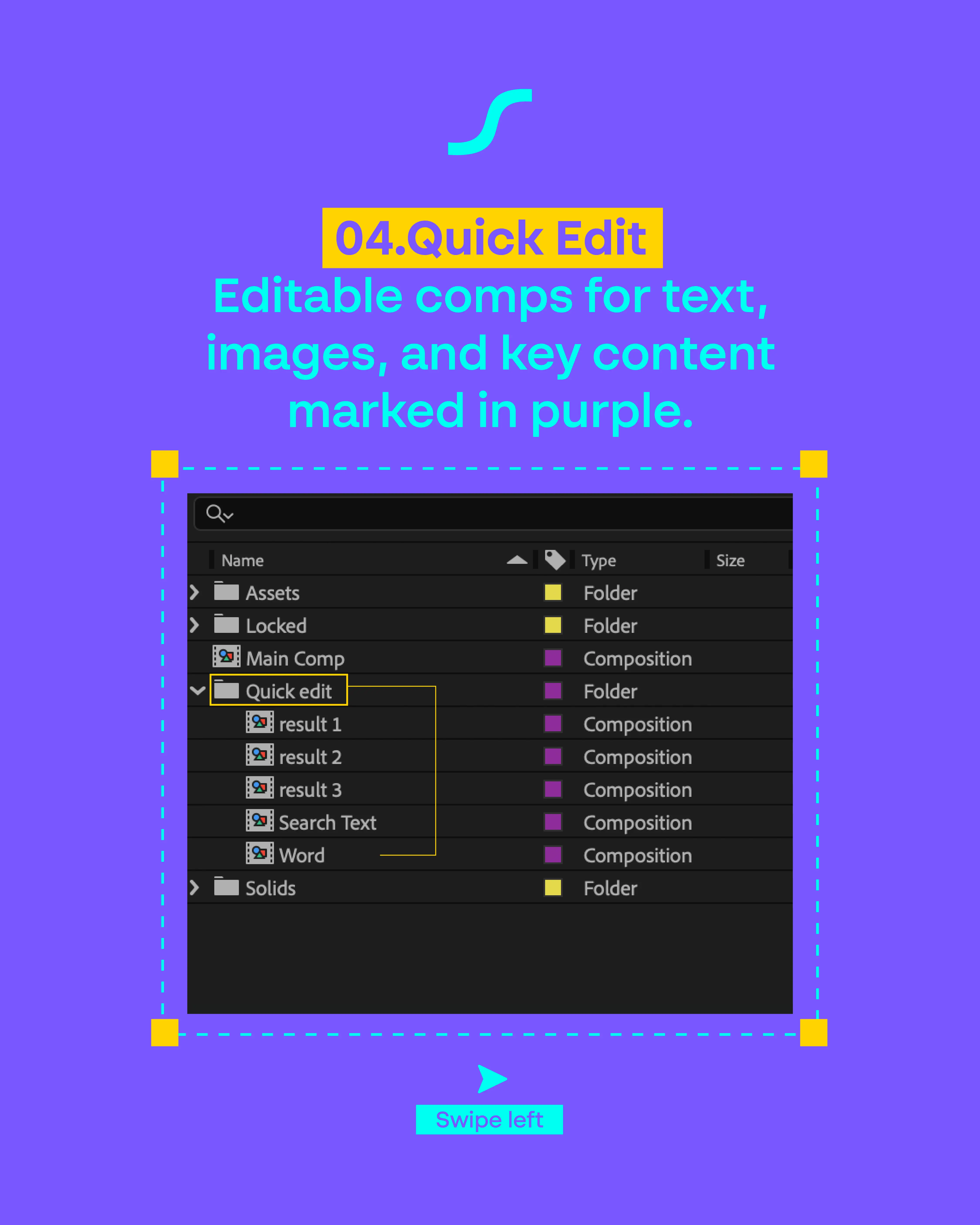
Swap text, drop in your footage, tune the colors. Quick Edit comps make it painless.
Ready To Go
Render it out and ship it. Your edit just leveled up — without losing a night to motion.
Browse Scenes
Explore the library and filter by style, mood, or category to find what fits your edit.
Pick The Right One
Preview the scene, check it matches your video's vibe, and grab the one that clicks.
Download The Scene
One click, you get a clean After Effects project file — fully organized and ready to open.
Make Your Tweaks
Swap text, drop in your footage, tune the colors. Quick Edit comps make it painless.
Ready To Go
Render it out and ship it. Your edit just leveled up — without losing a night to motion.
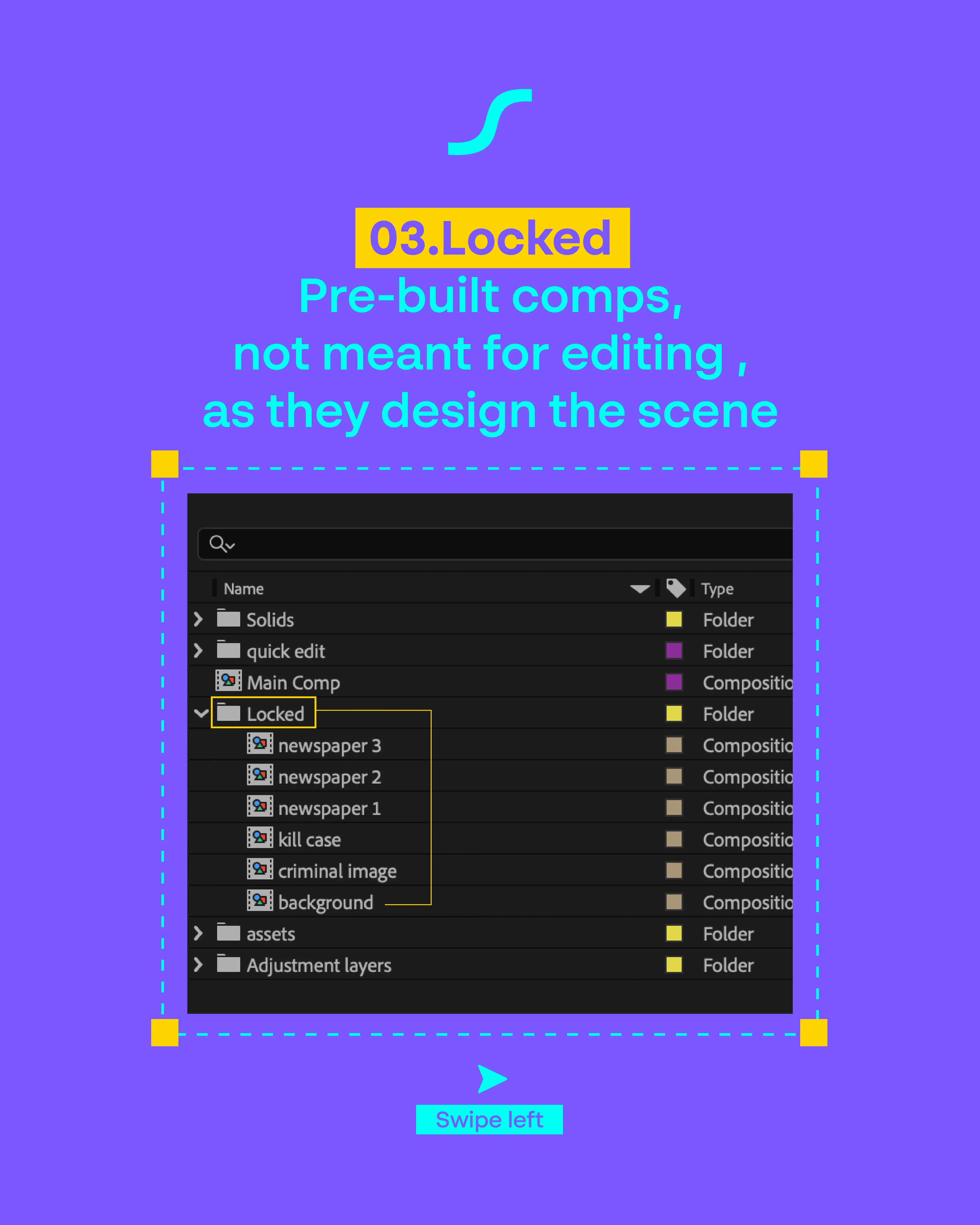
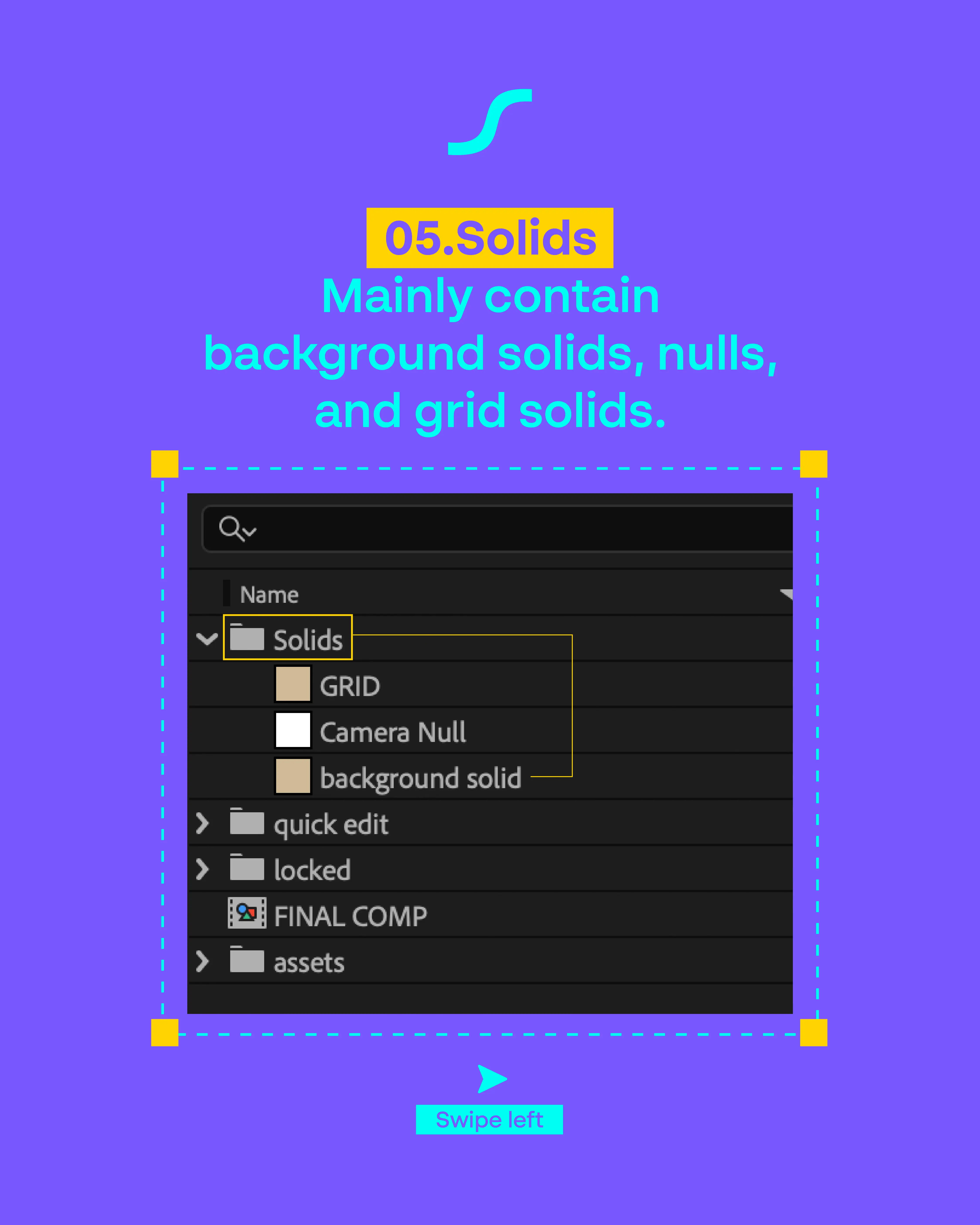
INSIDEEACH SCENE
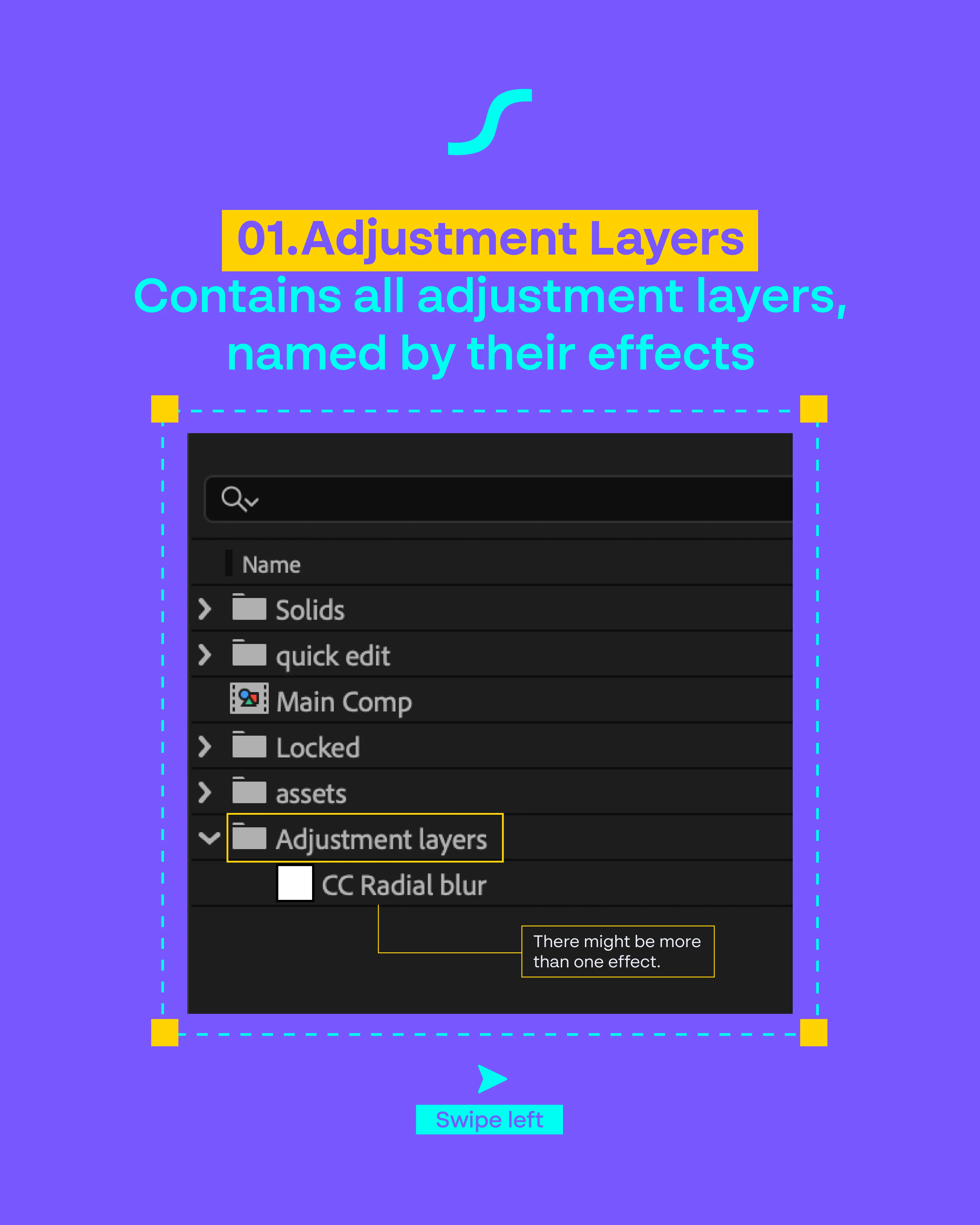
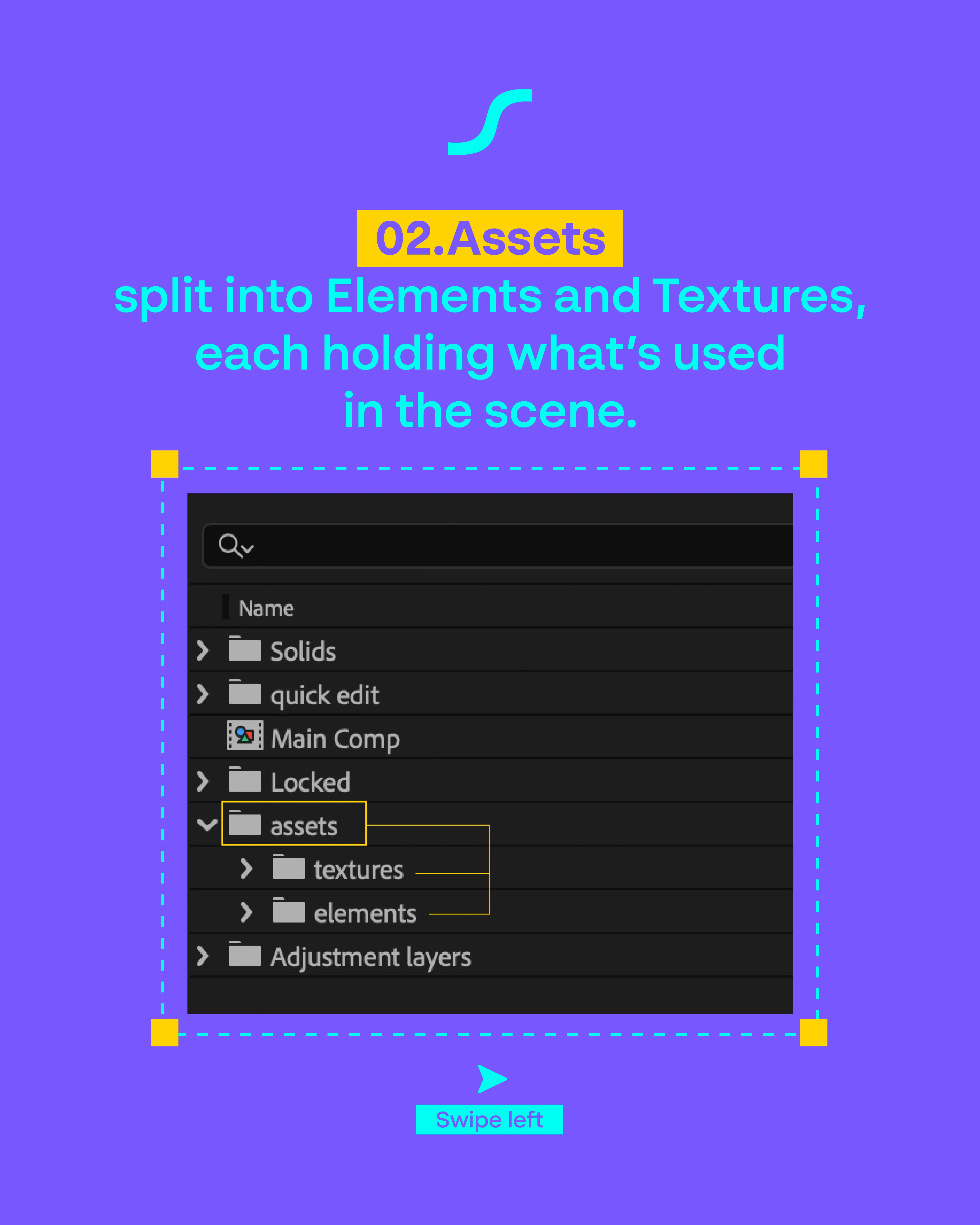
Every scene is built the same way — so once you learn one, you've learned them all. Swipe through to see what's inside.
Still have questions?
Need more help understanding our scenes? Reach out and we will guide you through everything.